Ed's Big Plans
Idea: Delaunay Simplex Graph Grammar
The Structural Bioinformatics course I’m auditing comes with an independent project for graduate students. I’ve decided to see how feasible and meaningful it is to create a graph rewriting grammar for proteins that have been re-expressed as a Delauney Tessellation.
I was first introduced to the Delauney Tessellation about half a year ago. Such a tessellation is composed of irregular three dimensional tetrahedrons where each vertex corresponds to an amino acid. A hypothetical sphere that is defined by the four points of such a tetrahedron cannot be crossed by a line segment that does not belong to said tetrahedron.
An alphabet in formal languages is a finite set of arbitrarily irreducible tokens that composes the inputs of a language. In this project, I want to see if I can discover a grammar for the language of Delauney protein simplex graphs. Graph rewriting is likened to the collapse of neighbouring tetrahedrons. The tetrahedrons selected are either functionally important, stability important or have a strangely high probability of occurrence. This definition is recursively applied so that previously collapsed points are subject to further collapse in future passes of the algorithm.
When a subgraph is rewritten, two things happen. Some meaning is lost from the original representation of the protein, but that same meaning is captured on a stack of the changes made to the representation. In this way, the protein graph is iteratively simplified, while a stack that records the simplifications indicates all of the salient grammatical productions that have been used.
This stack is what my project is really after. Can a stack based on grammatical production rules for frequency of occurrence render any real information, or is it just noise? I can’t even create a solid angle to drive my hypothesis at this point. … “Yes … ?” …
I’ve seen a lot of weird machine learning algorithms in my line of work… and I attest that it’s hard for a novice to look at a description and decide whether or not it derives anything useful. Keep in mind that the literature is chuck full of things that DO work, and none of the things that didn’t make it. I conjecture that this representation has made me optimistically biased.
This method however IS feasible to deploy on short notice in the scope of an independent project 😀
Generic Functions in C# and Java
>>> Attached: ( Main.java — in Java | Main.cs — in C# ) <<<
Updated: (1) Made code more readable. (2) Removed unnecessary package (Java) and namespace (C#) and added a function that returns a generic type as well. (3) Attached compilable demo source code in separate files.
The most fun and productive concept in object oriented programming is generics — for me anyway. In C, one could deploy generics hazardously with code that casts the contents of memory addresses with a putative struct. The first field gives away what that chunk of memory is supposed to be at run time (usually, it’s a typdef int or an enum). I still do that when it’s called for, but it’s quite delicate and often leads to insidious bugs that don’t crash immediately. At least one would know what code to suspect when crashes do happen.
In C# and Java, two languages that derive from C — we find full safe support of generics. Generic classes (the things that collections are made of) are interesting, and I’m sure most who have used either of these languages have already played with them and have found them useful. One of the things that don’t receive a healthy dose of spotlight is Generic Functions (“Generic Methods” if you like).
I’ll compare two segments of code, one in C# and one in Java that do exactly the same thing — demonstrate two trivial functions printArrayList() and getElement(). The function printArrayList() prints out the contents of an ArrayList (Java) or a List (C#). The function getElement() retrieves an element from a list. This shows how single generic functions can operate on collections, each with a different defined type without the need for unsafe casting. The only assumption the code makes is that each object in a list implements the toString() method (needed for the printing function).
Note naming convention: In Java, methods are just members of an object, so they are named in lowercase. In C#, methods are capitalized. We will refer to methods by the Java convention here to keep things consistent.
Setting Up in Main…
Let’s declare and fill a few lists for this demonstration. Three generic list objects, cow, dog and elephant are constructed in a for loop. Each gets ten elements. Each list contains objects of a particular type; cow contains integers, dog contains doubles and elephant contains strings.
| Java Code | C# Code |
ArrayList<Integer> cow = new ArrayList(); ArrayList<Double> dog = new ArrayList(); ArrayList<String> elephant = new ArrayList(); |
List<int> cow = new List(); List<double> dog = new List(); List<string> elephant = new List(); |
Notice that Java does not autobox the type in the angel brackets so you can’t give it the primitives int and double. In C#, this is allowed plus string is also a primitive. Remember: In both Java and C#, primitives are emulated — they are first class objects that are only different from other objects in that they are pass-by-value rather than pass-by-reference.
Appending ten items to each list. Shown below is the Java version — in C#, change “add()” to “Add()”.
for(int i = 0; i < 10; i ++) {
    cow.add(3 * i);
    dog.add(0.25 * i);
    if(i % 2 == 0)
        elephant.add("Even");
    else
        elephant.add("Odd");
}
The below is the code we want to make work — We’ll call printArrayList() to print out all of the elements in each list, then we’ll call getElement() to return a specific element from each list. Notice that this is the Java version below — in C#, we capitalize method names and use Console.Writeline() instead of System.out.println().
System.out.println("== Generic List Printer ==");

printArrayList(cow);
printArrayList(dog);
printArrayList(elephant);

System.out.println();

System.out.println("== Generic Element Accessing ==");

int    cow_at_7      = getElement(cow, 7);
double dog_at_2      = getElement(dog, 2);
String elephant_at_4 = getElement(elephant, 4);

System.out.println("Cow at 7      = " + cow_at_7);
System.out.println("Dog at 2      = " + dog_at_2);
System.out.println("Elephant at 4 = " + elephant_at_4);
Note that in C#, we may use the keyword “var” instead of typing out the types for cow_at_7, dog_at_2, and elephant_at_4 — the compiler infers the type for us. This is different from unsafely casting with “Object”, as the compiler infers the narrowest possible type and substitutes in that correct type.
Onto the methods …
Below is the Java version of printArrayList().
static <A> void printArrayList(ArrayList<A> animalList) {
    for(A a : animalList)
        System.out.print(a + "\t");
    System.out.println();
}
Below is the C# version of PrintArrayList().
static void PrintArrayList<A>(List<A> animalList) {
    foreach(A a in animalList)
        Console.Write(a + "\t");
    Console.WriteLine();
}
Notice that printArrayList() is a method that specifies a generic type <A>, but only in its argument list. In Java, <A> appears before the function’s type and in C#, this appears after the function name. In this case, it’s obvious what we would do if we have functions that return specific types — we just substitute the type where the keyword “void” is. So what happens when we want to return the generic type? That’s what getElement() will demonstrate.
Below is the Java version of getElement().
static <A> A getElement(ArrayList<A> what, int which) {
    return what.get(which);
Below is the C# version of GetElement().
static A GetElement<A>(List<A> what, int which) {
    return what[which];
Yes, these are both trivial functions, as you could have easily called ArrayList.get() in Java and List[] in C# respectively — but it does the job in this demonstration. In the Java version, the generic type <A> is placed before the type of the function, A. Don’t let that confuse you, just recall how we specified the return type when it wasn’t the generic type. In C#, we place the generic type <A> after the function name just as before.
Below is the output you should expect if you run the main function.
C# Output
== Generic List Printer ==
0	3	6	9	12	15	18	21	24	27
0	0.25	0.5	0.75	1	1.25	1.5	1.75	2	2.25
Even	Odd	Even	Odd	Even	Odd	Even	Odd	Even	Odd

== Generic Element Accessing ==
Cow at 7      = 21
Dog at 2      = 0.5
Elephant at 4 = Even
The Java output is the same, except the values that are doubles are always printed with a trailing “.0” even if it is numerically equal to an integer.
fsMSA Algorithm Context
What started as a meeting between me and my advisors ended up being a ball of unresolved questions about the cultural context of multiple sequence alignment and phylogenetic trees. While I had a good idea of what the field and its researchers had looked into and developed, I hadn’t a grasp of how far along we were. The result is the presentation I’ve just finished. In it, I discuss what I consider to be a representative sampling of the alignment and phylogenetic tree building algorithms available right now, at this very instant.
(PDF not posted, contact me if interested.)


Apache Optimized Finally! (Firebug, YSlow)
I didn’t realize I hadn’t added the mod_expires.c and mod_deflate.c items to my httpd.conf file in Apache yet– Andre clued me in!
Andre noticed my blog was taking a while to load, even when the browser cache should have significantly dented the page weight. He used Firebug and Yahoo’s YSlow to make a diagnosis and told me to do the same– this page ended up taking a whopping 17 seconds to load which is … very … sad. After I added these lines to my httpd.conf file, things were looking better (roughly 1.5 seconds — not perfect, but it’s far better).
The mod_expires.c chunk specifies that files displayed on a webpage ought to live in the browser cache. The caching information is sent as part of the file header by Apache to the client browser. Without this, files were apparently expiring instantly meaning that each refresh required downloading every single file again including including the images comprising this theme’s background.
The mod_deflate.c chunk specifies that file data should be gzipped before transmitting– this is again handled by Apache. The trade off between compressing a few text files (even dynamically generated ones) versus sending uncompressed text is more than fair.
<IfModule mod_expires.c>
    FileETag MTime Size
    ExpiresActive On
    ExpiresByType image/gif "access plus 2 months"
    ExpiresByType image/png "access plus 2 months"
    ExpiresByType image/jpeg "access plus 2 months"
    ExpiresByType text/css "access plus 2 months"
    ExpiresByType application/js "access plus 2 months"
    ExpiresByType application/javascript "access plus 2 months"
    ExpiresByType application/x-javascript "access plus 2 months"
</IfModule>

<IfModule mod_deflate.c>
    # these are known to be safe with MSIE 6
    AddOutputFilterByType DEFLATE text/html text/plain text/xml

    # everything else may cause problems with MSIE 6
    AddOutputFilterByType DEFLATE text/css
    AddOutputFilterByType DEFLATE application/x-javascript
    AddOutputFilterByType DEFLATE application/javascript
    AddOutputFilterByType DEFLATE application/ecmascript
    AddOutputFilterByType DEFLATE application/rss+xml
</IfModule>
I’ve also removed the custom truetype font files specified in the CSS… they aren’t handled correctly for whatever reason– even after I added ‘font/ttf’ entries to the mod_expires.c chunk above. Finally, I tried completely removing background images from the site and restoring them again– it doesn’t make things any faster after images have been cached (correctly, finally).
I am very happy.
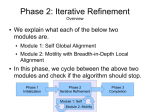
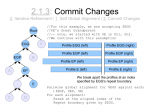
fsMSA Algorithm… Monkeys in a β-Barrel…
I’ve finally finished documenting my foil sensitive protein sequence algorithm… This is part of Monkeys in a β-Barrel — a work in progress, this time continuing more on Andrew’s half of the problem rather than Aron’s.
I’ve decided on using the word “foil” to mean “internal repeat” since it’s easier to say and less awkward in written sentences. Andre suggested it after “trefoil” and “cinquefoil”, the plant.
Thumbnails below (if you are curious about the full slide show, contact me :D).

Early draft of TIM Barrel problem
Here’s a slide show I presented at a lab group meeting earlier this month. There is a structure and sequence part to my research, this only overviews the structure half. The sequence part of my presentation was given with a white board since the figures were faster to draw on the white board than as vector graphics. I’ll come back to this when I’ve finished formalizing the big plan in its entirety.
Slideshow as a PDF with previews below.